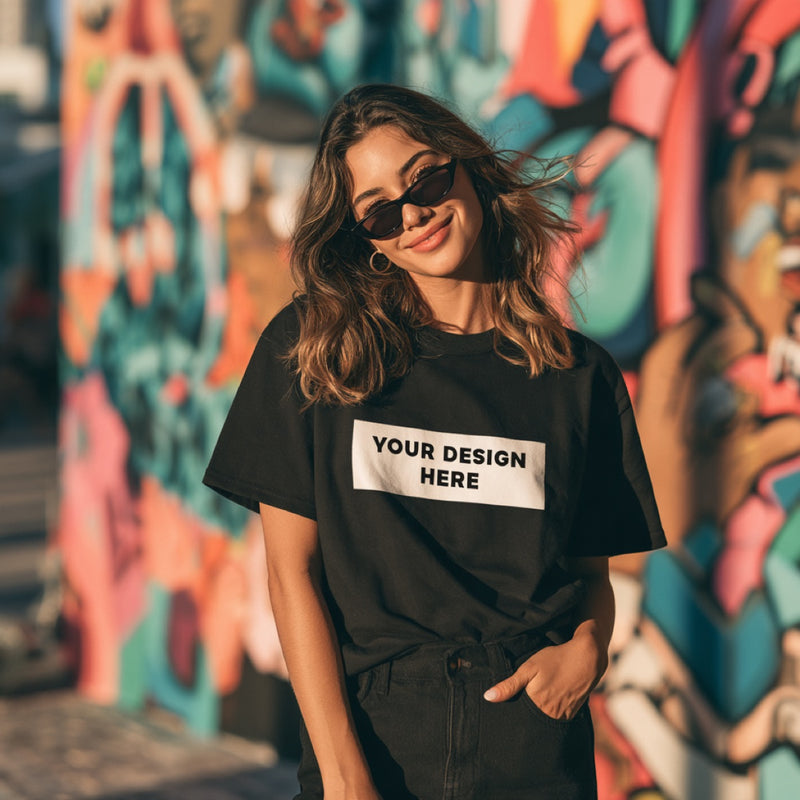
A quick consumer guide to t shirt design placement: center chest, left chest, full front and back, with inch measurements, text vs photo tips and common mistakes.
Wondering where to place a design on a shirt? For most designs, center it on the chest with the top edge about 3 inches below the collar seam. Small logos go on the left chest, in the pocket spot, and big photos or poster art fill the full front. This quick guide shows each placement with practical inch measurements, which spot suits text versus photos, the mistakes we catch most often, and how to check placement in the preview. Read it, then place your design on a shirt online and see exactly where it lands.

What are the main places to put a design on a t shirt?
The main places to put a design on a t shirt are the center chest, the left chest or pocket spot, the full front, and the upper or full back. Each one suits a different kind of art. Center chest is the safe default, left chest looks clean and understated, and full front makes a bold statement.
Here is a quick reference with typical sizes and distances for an adult shirt. Treat the numbers as starting points; the preview is where you confirm them.
| Placement | Typical design width | Where the top edge sits | Best for |
|---|---|---|---|
| Left chest (pocket spot) | 3 to 4 inches | About 3 inches below the collar, on the wearer's left | Small logos, initials, a tiny icon |
| Center chest | 8 to 11 inches | About 3 inches below the collar seam | Text, logos, most graphics |
| Full front | Up to 12 inches wide, up to 16 tall | About 3 inches below the collar seam | Photos, collages, poster style art |
| Upper back | 8 to 12 inches | A few inches below the back collar | Names, short phrases, a team or crew word |
| Full back | Up to 12 inches wide | A few inches below the back collar | A large design paired with a small front |
Our maximum print area is 12 x 16 inches, so even the largest placement stays inside that box. For a deeper production view of every location, see our print placement guide.
When should you put a design in the center of the chest?
Put a design in the center of the chest when it is the main message of the shirt: a slogan, a name, a logo for an event, or a single graphic. Center chest is the most readable spot because it sits at eye level when someone faces you, and it works on nearly every body shape and shirt size.
The common mistake is placing it too low. When a design sits at stomach level, it bends with the fabric and reads poorly in photos. Keep the top edge close to three finger widths under the collar, and the design will sit across the chest where it belongs. If the width question is what is stopping you, our t shirt design size guide gives widths for each shirt size.
When does a left chest or pocket placement look best?
A left chest or pocket placement looks best for small, simple art that should feel subtle: a business logo, a monogram, a tiny icon, or a short word. Placed on the wearer's left, about 3 to 4 inches wide, it reads like a brand mark rather than a billboard, and it pairs well with a larger design on the back.
Keep left chest art bold and uncluttered. Thin lines and tiny letters disappear at 3 inches wide, so a detailed logo may need a simplified version. Photos rarely work this small, because faces shrink to the size of a fingernail. A good test: if you cannot read it on a coin sized thumbnail on your phone, it is too detailed for the pocket spot.
When should a design cover the full front of a shirt?
A design should cover the full front of a shirt when it is a photo, a collage, an illustration with lots of detail, or poster style art meant to be seen from across a room. The full front uses most of the 12 x 16 inch print area and gives faces and fine detail enough room to read clearly.
Full front prints need a bigger file. Plan for a transparent PNG at 300 dpi, 4500 x 5400 px, so the art stays sharp at full size. Leave a little breathing room at the sides: art pushed edge to edge toward the armpits can wrap around the body and look cut off when worn. For photo specific tips, read how to put a photo on a shirt.
Where should text go on a shirt compared with a photo?
Text usually goes on the center chest or the upper back, set wide and short so it reads in one glance. Photos usually go center chest or full front, set taller and larger so faces stay clear. Text tolerates small sizes better than photos, but it needs strong contrast with the shirt color to stay readable.
- One line of text: center chest, 9 to 11 inches wide, or upper back for a name.
- Two to four lines: center chest, stacked, with the most important word largest.
- Single portrait photo: center chest at 9 to 11 inches wide, cropped close to the face.
- Group photo or collage: full front, as large as the print area allows.
- Photo plus a caption: photo on the chest with the caption directly below, both inside the same design file.
Font choice changes how big text needs to be. Our list of the best fonts for t shirts covers which typefaces stay readable at a distance. When you have the words, try your text in the shirt designer at a couple of sizes.
What design placement mistakes should you avoid?
The design placement mistakes to avoid are placing art too low, making it too wide for the shirt size, leaving a background box around the design, and centering a file that has extra empty space on one side. Each one makes the print look off even when the art itself is good.
- Too low. The design lands on the belly and bends with the fabric. Keep the top edge near 3 inches below the collar.
- Too wide for small sizes. A 12 inch design on a small shirt can wrap toward the sides. Scale down for smaller sizes.
- Invisible padding. A file with empty transparent space at the top or side shifts the visible art off center. Crop the file tight to the artwork.
- A white box. A JPG with a white background prints a white rectangle on colored shirts. Use a transparent PNG.
- Pocket spot photos. Faces at 3 inches wide become unreadable. Move photos to the center.
A real person on our team checks every file before printing, so obvious issues get caught, but fixing them before you order saves time.
How do you check design placement before you order?
Check design placement before ordering by using the live preview in the designer, comparing it with a shirt you already own, and measuring with a ruler. Lay your favorite printed tee flat, measure from the collar seam to the top of its print and across the width, and match those numbers in your new design.
When the preview looks right, zoom in on the edges to confirm nothing is cut off, then look at the whole shirt at a small size, the way a friend sees it across a room. If you also plan a back design, our back of shirt design ideas show how front and back placements work together. Then preview your placement on the real shirt color.
Why design and place your shirt with Imperial Custom Apparel?
Imperial Custom Apparel prints in house in Hollywood, FL, in the Miami area, with full color direct to garment printing on industrial Kornit equipment. The designer shows a live preview of size and placement on the real shirt color, and a real person checks every file, so a design that sits too low or too wide gets flagged before printing.
- From $25 per shirt with a full color front print, no minimum.
- Pick your shirt, color and size in the designer, then drag and scale your art.
- Max print area 12 x 16 inches; best file a transparent PNG at 300 dpi, 4500 x 5400 px.
- Ships within 2 business days across the US, or local pickup in Hollywood, FL.
- Damaged or misprinted orders are reprinted or refunded.
Ready to see it on fabric? Design your shirt and set the placement in a few minutes.
Frequently asked questions
Where is the best place to put a design on a shirt?
The best place to put a design on a shirt for most people is the center chest, with the top edge about 3 inches below the collar seam. Center chest is readable, flatters most body types and works for text, logos and photos. Small logos look better on the left chest.
Should a shirt design sit high or low on the chest?
A shirt design should sit high on the chest, with its top edge about 3 inches below the collar seam on an adult shirt. Placing it lower makes the design sit on the stomach, where it bends and reads poorly. On the back, start the design a few inches below the back collar.
How big should a left chest design be?
A left chest design is usually 3 to 4 inches wide, placed on the wearer's left about 3 inches below the collar. Keep left chest art simple and bold, since thin lines and small text disappear at that size. Photos rarely work well as a left chest design.
Can I put a design on both the front and back of a shirt?
Yes, you can put a design on both the front and back of a shirt. A common setup is a small left chest logo on the front and a larger design or name on the back. Check both placements in the live preview before ordering.
Where can I design a shirt and choose the placement online?
You can design a shirt and choose the placement online with Imperial Custom Apparel. Upload your art, scale and position it in the designer, preview it on the real shirt color, and order from $25 with no minimum. Shirts print in Hollywood, FL and ship within 2 business days.
Put your design exactly where you want it
Upload your art, set the size and placement, and preview it on the real shirt color before you pay. From $25, no minimum, and every file is checked by a real person. Text or call (954) 280 0627.
Start designing